
BIR eSales Deadline: Is Yours the 8th or the 10th?
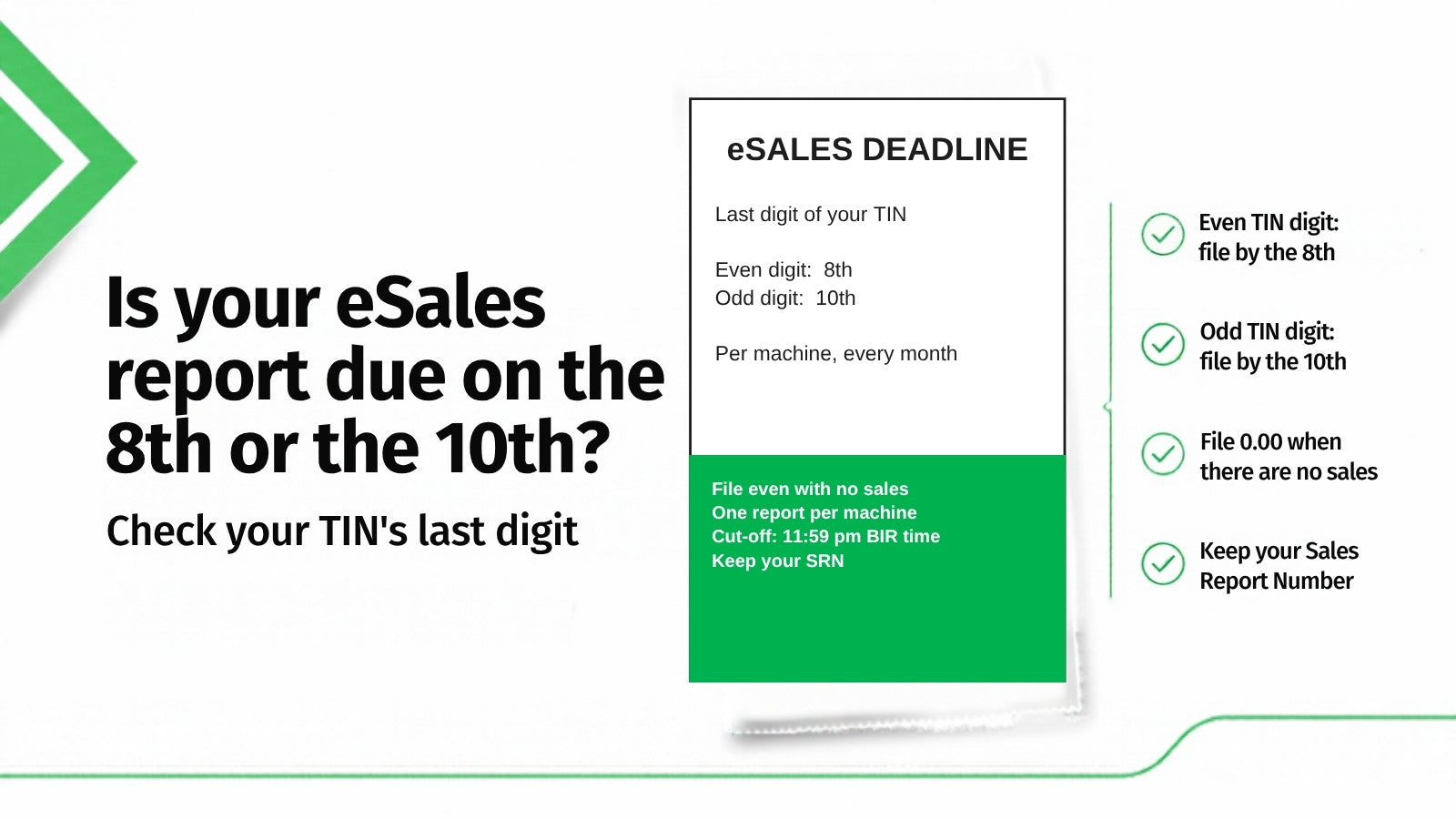
If the last digit of your 9-digit TIN is even, your monthly eSales report is due on the 8th of the following month. If it is odd, you have until the 10th.
That single split catches out a surprising number of businesses, because most published guidance gives one date. The rule comes from Revenue Memorandum Order No. 12-2012, issued 18 January 2012, which implements the electronic sales reporting requirement under RR 5-2005:
"Such monthly sales report per machine shall be submitted on or before the 8th day of the month (for taxpayers whose last digit of the 9-digit TIN is even number) and 10th day of the month (for taxpayers whose last digit of the 9-digit TIN is odd number) following the sales period."
Updated 8 October 2026: this article now covers what goes in the report, how to file it online or by file upload, and what to do if the eSales System is down. RMC 98-2026 (22 September 2026) does not change the 8th and 10th dates.
Find your deadline
Take your 9-digit TIN — the base number, before the branch code — and look at the last digit.
| Last digit of your TIN | Your monthly deadline |
|---|---|
| 0, 2, 4, 6, 8 | 8th of the following month |
| 1, 3, 5, 7, 9 | 10th of the following month |
So a business with TIN 123-456-789 files by the 10th. A business with TIN 123-456-780 files by the 8th.
The rule most businesses get wrong
The report is required with or without sales. RMO 12-2012 is explicit:
"All taxpayers using CRMs, POS machines and other invoice/receipt generating machines enrolled in the eSales System, with or without sales transaction, are required to submit monthly sales report per machine…"
A month with zero sales is not a month off. A machine that sat unused still needs its report. A branch that was closed for renovation still needs its report for each enrolled machine.
This is the single most common source of accumulated non-compliance we see described, because the obligation is easy to forget precisely in the months when there is nothing to report.
It is per machine, not per business
The obligation attaches to each enrolled machine. A business with four POS terminals across two branches is filing for four machines, not one.
RMO 12-2012 also defines a category worth knowing if you move equipment around — the roving machine:
"CRMs, POS machines and other invoice/receipt generating machines controlled and managed by the taxpayer's head office and transferred for use in any of its branches, as the need arises."
If you shift a terminal between branches seasonally, it is still a machine with its own reporting obligation.
The order's coverage is wider than the main till. It also names training units, back-up units, and handheld machines or mobile devices, as long as they are used to issue invoices or receipts for sales (machines used only to acknowledge collections are excluded). And a machine stays on your reporting list until its Permit to Use and MIN have been cancelled. That includes a machine that is broken, switched off, held as a stand-by unit, or whose cancellation request is still pending with your Revenue District Office.
What happens if you do not file
RMO 12-2012 sets out an escalating ladder for taxpayers found not submitting the required monthly report for three consecutive months per machine — and these sanctions come in addition to the penalty under RR 5-2005:
| Offence | Sanction |
|---|---|
| 1st | Reminder Letter |
| 2nd | Machine Inspection / Post Evaluation |
| 3rd | Revocation of Permit to Use / Cancellation of MIN |
The third step is the serious one. Revoking the Permit to Use or cancelling the Machine Identification Number takes the machine out of authorised service. For a business running a single terminal, that is a direct operational problem, not just a paperwork one.
The order also closes the obvious loophole:
"Payment of penalty does not relieve the taxpayer from the submission of the monthly sales report."
And where non-compliance persists, it contemplates Subpoena Duces Tecum under RMO 88-2010, plus Taxpayer Compliance Verification Drive activity under RMO 3-2009. General violations are subject to the penalty under Section 250 of the NIRC.
Getting enrolled in the first place
Before you can file, an authorised user has to be enrolled in the eSales System. Under RMO 12-2012:
- A duly notarised letter from the President, owner, or an authorised officer nominates the authorised user, using the format at Annex A of the order.
- It is submitted to the office where the taxpayer is registered — the Large Taxpayers Assistance Division, Excise Taxpayers Regulatory Division, LTDO, or RDO — before enrolment in eSales.
- Enrolment can be done by either the head office or the branch operating the machines.
- One user for the head office and one for each branch.
That last constraint matters for how you organise this internally. You cannot spread eSales filing across a rotating group of staff at a single branch — there is one authorised user per location, so the responsibility needs a named owner and a documented handover when that person leaves.
What goes in the monthly report
For each machine, RMO 12-2012 asks for four things:
- The machine's Machine Identification Number (MIN). If you have lost it, the eSales System has a MIN Retrieval Module.
- The month and year of the sales being reported.
- The gross monthly sales, net of VAT, discounts and other adjustments, as stored in the machine. If the same machine records different kinds of sales and can separate them, report them split into VATable sales, VAT zero-rated sales, VAT-exempt sales and sales subject to other percentage taxes. If it cannot separate them, report the total.
- The serial number of the last invoice or receipt (or transaction number) issued for that month.
Amounts go in with two decimal places and no comma. The order's own example: 800,000.00 is reported as 800000.00, and a month with no sales is reported as 0.00.
How to file: online or by file upload
Your enrolled user submits the report through the BIR's eSales System, which the order says is reached through the eSales icon on bir.gov.ph. There are two ways to do it, both described in the order's annexes:
- Online encoding. Open the Report Sales page, enter the 9-digit MIN, the monthly sales and the end range (the last invoice or receipt number for the month), then submit. The system asks you to confirm your entries, records the report and generates a Sales Report Number. Use Report Again for the next machine.
- File upload. Upload a CSV file in the layout the BIR prescribes (the annex names it csv_sales.csv). The order says the file format can be downloaded from the eSales System. This is the faster route if you report for several machines.
Either way, the system gives each submission a Sales Report Number (SRN) to acknowledge receipt. Save or print it and keep it. It is your proof that the report was filed.
One caution: those annexes date from 2012, and the BIR may have changed the screens since. Use them for the rules and the fields, and follow what the portal shows you on the day.
Deadline details that catch people out
- The cut-off is 11:59 pm on the due date, and the BIR's clock is the official time, not yours.
- If the 8th or 10th is a non-working day, the next working day automatically becomes the due date.
- You can correct a report. The most recent submission is treated as final, and amendments for a given month can be made up to three times. A machine amended more than three times for the same month becomes subject to validation or inspection by the BIR office.
- If the eSales System is unavailable on the deadline, submit the report in the prescribed format on a CD-R or DVD-R, with the transmittal form in duplicate, to your Revenue District Office on or before the third day after the deadline. If the BIR finds errors in the file, the corrected report is due within five working days of receiving them.
Building a routine that survives staff turnover
The failure pattern is almost never a deliberate decision not to file. It is a filing that depended on one person who left, went on leave, or simply forgot in a quiet month.
A workable routine:
Know your date and treat it as fixed. The 8th or the 10th, every month, regardless of trading. Put it in a shared calendar rather than one person's head.
File a nil report the same way you file a busy one. The zero-sales months are the ones that generate the three-consecutive-month exposure, because nobody thinks to check.
Keep a machine register. List every enrolled machine, its MIN, its branch, and its Permit to Use details. When a machine is added, moved between branches, or retired, update the register — and remember that a roving machine keeps its obligation wherever it is sitting.
Reconcile the count quarterly. Machines filed for, against machines enrolled. A mismatch is the early warning that something is being missed.
Name a backup. Since there is one authorised user per branch, plan explicitly for that person's absence before it happens rather than after a deadline is missed.
Retain the confirmations. The system confirms receipt of the monthly report per machine. Keep those confirmations — they are your evidence if a compliance query arrives later.
Where the numbers come from: the Z-reading
The monthly report is not a figure someone estimates. It comes out of the machine.
Among the thirteen capabilities RMO 24-2023 requires of an accredited system are sales readings — specifically the X-reading and the Z-reading:
- X-reading is a running total taken during the day without resetting anything. You can take as many as you like.
- Z-reading is the end-of-day close. It totals the day's sales and resets the daily counter, writing the result into the machine's permanent record.
The Z-reading is the one that matters for compliance. Daily Z-readings accumulate into the monthly figures that the eSales report carries, and they roll up into the accumulated grand total sales — the lifetime, never-resetting total that the BIR uses to detect gaps.
The practical consequence: a missed Z-reading is a hole in your records that is awkward to fill afterwards. If a terminal is switched off at close without a Z-reading being taken, that day's figures have not been properly closed. Staff turnover, an unusually busy night, or a terminal that simply gets unplugged are the ordinary causes. Making the Z-reading a fixed part of the closing routine — and spot-checking that it is happening — is worth more than any amount of month-end reconciliation.
The Machine Identification Number
The MIN is the identifier the BIR assigns to each registered machine, and it is what the eSales system files against. It appears in the sanctions ladder above because cancellation of the MIN is the endpoint of sustained non-compliance — at which point the machine is no longer a registered machine.
Two things follow. First, your machine register should record the MIN alongside the Permit to Use details, because that is the number you will be asked for. Second, when a machine is retired, replaced, or its permit lapses, the eSales position for that MIN needs closing out properly rather than simply being abandoned — an unfiled MIN keeps accruing consecutive months whether or not the machine is still in use.
What to ask your POS provider
Under RMO 12-2012 the report is submitted by your enrolled authorised user, online or by file upload. What your POS has to supply is the right numbers, machine by machine. Before you buy or renew, ask:
- Can it show monthly sales per machine, split into VATable, zero-rated, VAT-exempt and percentage-tax sales where they apply?
- Does it show the last invoice number issued in the month?
- Are daily Z-readings kept, and can you reprint any day of the month?
- Can it export the figures in a layout you can use for the upload file, or will someone have to retype them?
- Who helps with the first enrolment and the first filing?
How this fits with your other obligations
eSales reporting is one of three separate requirements that are frequently confused with each other:
| Requirement | What it is | Governed by |
|---|---|---|
| Accreditation | The machine and its supplier are approved before use | RMO 24-2023 |
| Permit to Use | Your authority to operate a specific machine | RMO 24-2023 / eAccReg |
| eSales reporting | Monthly sales report per machine | RMO 12-2012 / RR 5-2005 |
They are not substitutes. An accredited machine with a valid Permit to Use still has to file monthly. And as the sanctions ladder above shows, failing the third can cost you the second.
Separately, electronic invoicing is a fourth and distinct thing. RMC 98-2026 (22 September 2026) keeps the 31 December 2026 deadline for the taxpayers it covers, and it says electronic sales reporting is a separate obligation that applies "only upon the issuance by the Bureau of the implementing policies" for it. As of 8 October 2026 we have not found those policies published. A printed POS invoice is also not automatically an e-invoice under that circular. So the monthly eSales report under RMO 12-2012 is the rule today, and nothing in RMC 98-2026 changes its dates. Whether you are covered by the e-invoicing deadline is a separate question: see our explainer.
Frequently asked questions
When is the BIR eSales report due? The 8th of the following month if the last digit of your 9-digit TIN is even; the 10th if it is odd.
Do I need to file if I had no sales? Yes. RMO 12-2012 requires submission "with or without sales transaction."
Is the report per business or per machine? Per machine. Each enrolled CRM, POS or other invoice-generating machine has its own monthly report.
What happens if I miss it? Missing three consecutive months per machine triggers an escalating ladder: reminder letter, then machine inspection or post-evaluation, then revocation of the Permit to Use or cancellation of the MIN — in addition to penalties under RR 5-2005 and Section 250 of the NIRC.
Can I just pay the penalty instead of filing? No. RMO 12-2012 states that payment of the penalty does not relieve you of the obligation to submit the report.
How many people can file for my business? One authorised user for the head office and one for each branch. The user is nominated by a notarised letter submitted to your registered office before enrolment.
I moved a terminal to another branch. Does anything change? The order recognises "roving machines" managed by head office and transferred between branches as needed. The machine retains its reporting obligation.
What is a MIN? The Machine Identification Number the BIR assigns to each registered machine. It is what the eSales report files against, and its cancellation is the final stage of the sanctions ladder for sustained non-filing.
What is the difference between an X-reading and a Z-reading? An X-reading is a running total taken during the day without resetting. A Z-reading is the end-of-day close: it totals the day's sales, resets the daily counter, and writes the result into the machine's permanent record. Daily Z-readings are what the monthly figures are built from.
We forgot to take a Z-reading one night. Does it matter? That day's sales have not been properly closed in the machine's records, and it is awkward to correct after the fact. Make the Z-reading part of the fixed closing routine and spot-check that it is happening.
What goes in the monthly eSales report? For each machine: its Machine Identification Number (MIN), the month and year, the gross monthly sales (split into VATable, zero-rated, VAT-exempt and percentage-tax sales if the machine can separate them), and the serial number of the last invoice or receipt issued that month. Amounts use two decimal places and no commas, for example 800000.00, or 0.00 for no sales.
Do I file online or upload a file? Either. RMO 12-2012 allows online encoding on the eSales Report Sales page or a file upload in the BIR's prescribed CSV layout, which can be downloaded from the eSales System. Each accepted submission gets a Sales Report Number, which you should keep.
What if the 8th or 10th falls on a weekend or holiday? The next working day automatically becomes the due date. Submissions are accepted until 11:59 pm on the due date, using the BIR's clock.
What if the eSales System is down on the deadline? Submit the report in the prescribed format on a CD-R or DVD-R, with the transmittal form in duplicate, to your Revenue District Office on or before the third day after the deadline. If the BIR returns the file with errors, resubmit a corrected one within five working days of receiving them.
Can I correct a report I already filed? Yes. The most recent submission counts as final, and a month's report can be amended up to three times. A machine amended more than three times for the same month becomes subject to validation or inspection.
Do back-up or broken machines need a monthly report? Yes. A machine stays on your reporting list until its Permit to Use and MIN are cancelled. That includes machines that are not working, stand-by units, and machines whose cancellation request is still pending.
Is eSales reporting the same as e-invoicing? No. They are separate obligations. RMC 98-2026 (22 September 2026) keeps the 31 December 2026 e-invoicing deadline for the taxpayers it covers, and says electronic sales reporting applies only once the BIR issues implementing policies for it. As of 8 October 2026 the monthly eSales report under RMO 12-2012 is still the rule.
Where can I read the rule myself? RMO 12-2012 is published on bir.gov.ph, as is RR 5-2005 which it implements.
This article summarises Revenue Memorandum Order No. 12-2012 (18 January 2012), implementing Revenue Regulations No. 5-2005 as amended, as published by the Bureau of Internal Revenue. It is general information, not tax advice. Confirm your own obligations with your accountant or Revenue District Office.
Alex de Leon is the President and Co-Founder of KwikPOS, a leading POS solutions provider in the Philippines specializing in one-time-payment systems for food and beverage, retail, and service businesses.
Last reviewed: 8 October 2026.
Related reading
eSales reporting builds on the transmission capability accreditation already requires — BIR POS accreditation, and why it costs nothing explains that requirement. eSales is also not the same obligation as e-invoicing: do you actually have a 31 December 2026 deadline? separates the two. And if you are not sure your POS is accredited in the first place, how to check if a POS is really BIR-accredited and PTU or Acknowledgement Certificate? cover the two documents that sit alongside eSales.
Reporting from more than one terminal?
KwikPOS supplies point-of-sale hardware and software to Philippine retail, food and beverage and service businesses, with onsite implementation and PH-based support. Request a quote or book a demo to go through your own setup.
This article is general information, not tax or legal advice. Confirm your own obligations with your accountant or Revenue District Office. Regulations are linked to the Bureau of Internal Revenue’s own published PDFs so you can check the wording yourself.